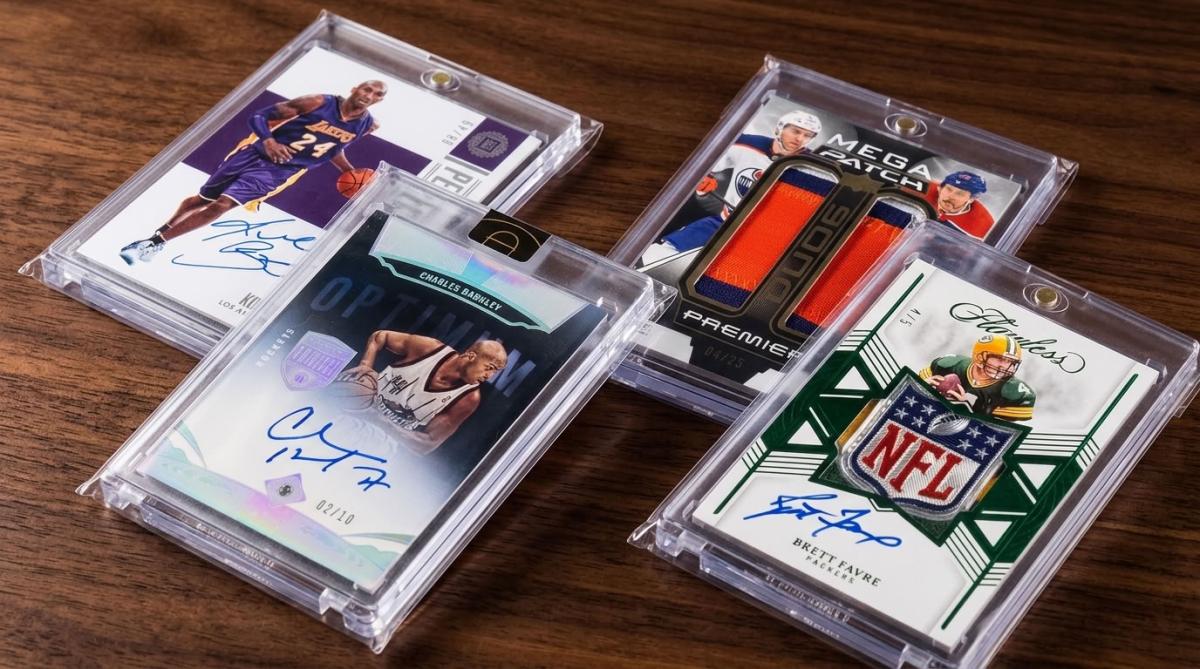
 how-to
Protecting Magnetic One Touch Cases: A 2026 How-To Guide
Table of Contents
- Why Protecting Magnetic One Touch Cases Matters for Card Value
- What You'll Need Before You Start
- Step 1: Choose the Right Magnetic Card Case Sleeves
- Step 2: How to Sleeve Cards for Magnetic Holders Correctly
- Step 3: Preventing Scratches on Acrylic Card Cases
- Step 4: Storage, UV Protection, and Display Safety
- Common Mistakes That Damage Magnetic One Touch Cases
- Conclusion: Building a Protection Routine That Lasts
- Frequently Asked Questions
Last Updated: October 2, 2026
Why Protecting Magnetic One Touch Cases Matters for Card Value
A scratched magnetic one touch case doesn't just look bad; it drags down the card inside it. The acrylic surface scratches easily, dust settles in the seams, and UV light fogs the plastic over time.
At Superior Fit Sleeves, we've been making precision-fit protective sleeves since 2014.
This guide covers how to choose the right magnetic card case sleeves, sleeve cards for magnetic holders, and stop scratches before they start.
The Library of Congress preservation guidelines make one thing clear: plastic enclosures that touch collectibles should be stable, inert, and free of harmful additives. That principle applies to your card holders too.
What You'll Need Before You Start
Gather your supplies first; stopping mid-process leaves a card exposed longer than necessary.
- Magnetic one-touch cases in the correct size for your cards
- Resealable outer sleeves sized for magnetic holders
- Acid-free inner sleeves for the card itself; SFI actually offers sheets.
- Microfiber cloth for wiping acrylic surfaces
- Soft brush for dust in corners and seams
- Clean, flat workspace away from food, drinks, and pets
- Clean hands or nitrile gloves
Work over a soft surface: a towel or felt mat catches a dropped card before it hits the table edge.
Step 1: Choose the Right Magnetic Card Case Sleeves
Magnetic card case sleeves are protective outer sleeves made to fit over the entire one-touch holder, sealing out dust and blocking scratches. Fit matters: a loose sleeve lets the holder slide and create friction, while one that's too tight stresses the seams and splits within weeks.
What to look for:
- Tapered or resealable flap for a snug, clean closure
- Acid-free, non-PVC material so nothing off-gasses onto your case
- Crystal-clear film that doesn't distort the view of your card
- Correct dimensions for standard magnetic holder sizes
Superior Fit Sleeves makes magnetic card case sleeves cut specifically for one-touch holders, with the tapered flap design we've refined since 2014.
PT Thickness and Holder Dimensions Explained
PT thickness measures the gauge of the plastic on a magnetic holder. A 35pt holder fits standard trading cards; thicker stock needs a thicker holder.
Card Type | Typical PT Thickness | Holder Size |
|---|---|---|
Standard trading cards | 35pt | Standard one-touch |
Thick stock, memorabilia | 55pt to 75pt | Medium one-touch |
Booklet cards, patches | 100pt to 180pt | Thick one-touch |
Buy the sleeve that matches your holder's outer dimensions, not the card's PT. The sleeve wraps the case, not the card.
Step 2: How to Sleeve Cards for Magnetic Holders Correctly
Sleeving a card for a magnetic holder takes about thirty seconds. Doing it in the wrong order is how corners get dinged.
- Wipe the inside of the holder with a microfiber cloth
- Slide the card into an acid-free inner sleeve
- Place the sleeved card into the holder's recessed base
- Set the top piece on and align the corners
- Close the magnets and check for movement
- Slide the whole holder into your outer sleeve
- Press the resealable flap closed
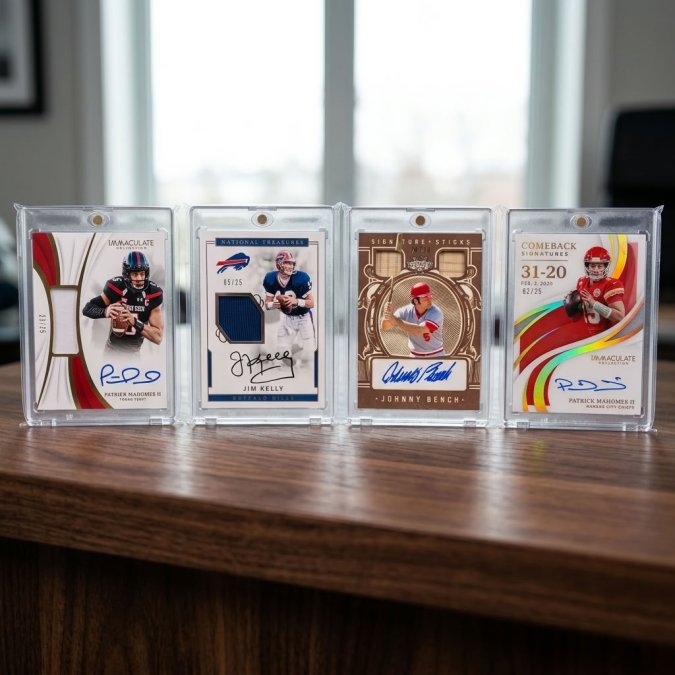
Inner Sleeve First, Then the Holder
The inner sleeve is the layer most collectors skip. Don't. An acid-free inner sleeve keeps the card from touching the acrylic directly and stops it from shifting when the case is tilted or shipped; that shift causes corner wear and surface scuffs. Use a thin, non-PVC inner sleeve; thick ones can bow the holder closed unevenly.
Step 3: Preventing Scratches on Acrylic Card Cases
Preventing scratches on acrylic card cases comes down to one property: acrylic is softer than glass. On the Mohs hardness scale, glass sits around 5.5, while the acrylic in most magnetic one-touch holders lands closer to 2 to 3, soft enough that a grain of dust, a paper towel fiber, or the edge of another holder can carve a permanent line.
Why the Sleeve Is a Sacrificial Layer
An outer sleeve works because it takes the abrasion instead of the acrylic. When a sleeved holder slides across a shelf, the film absorbs the friction; a bare holder takes the hit directly. This matters even for holders that never leave storage: boxes shift, shelves get bumped, and every small movement gives two bare acrylic faces a chance to grind together.
A Visual Inspection Checklist for Magnetic Holders
Before trusting a holder with a valuable card, inspect it under bright, angled light; tilt the case so light rakes across the surface to reveal scratches that disappear under direct overhead light.
- Surface haze: a cloudy or milky patch that won't wipe off usually means micro-abrasion, not dirt
- Deep gouges: any line you can feel with a fingernail has cut through the surface and will catch light permanently
- Edge chips: small nicks along the outer rim, often from being dropped or stacked bare
- Warping: lay the holder flat on a known-flat surface and check for rocking or a visible gap
- Seam separation: hold the closed case up to light and look for a visible line where the two halves meet
- Magnet strength: the halves should snap together and hold firmly; weak or uneven closure lets the card shift
- Clarity distortion: look through the case at a printed page; if text looks wavy or doubled, the acrylic has optical flaws
Replace a holder that fails the gouge, warp, or seam checks; don't use it for a valuable card. One showing only light surface haze can be retired to a lower-value card.
The Scratch-Prevention Routine
- Never stack bare magnetic holders on top of each other
- Set holders down flat; never slide them across a table
- Keep a sleeve on every holder, even ones in storage
- Wipe with microfiber only, and only when needed
- Store away from keys, tools, and loose metal
- Inspect new holders under raking light before loading a card
Cleaning a Case That's Already Scuffed
Most surface haze is removable. Start with a dry microfiber cloth and light pressure; if that doesn't clear it, breathe on the surface and wipe again, as you would on eyeglass lenses.
If a scratch is deep enough to catch a fingernail, no cleaning method will remove it. At that point, the holder has become a storage case, not a display case; move the card to a fresh holder and keep the scuffed one for lower-value stock.
Step 4: Storage, UV Protection, and Display Safety
UV rays fade card ink and yellow acrylic over time, so display safety means blocking light when you're not looking at the card. Direct sunlight is the obvious enemy, but indirect light adds up too: a shelf near a window gets hours of UV exposure daily, and that damage is permanent.
What Actually Happens Inside a Stored Case
Three processes run at once in any storage space, each with a different fix:
- UV exposure breaks down card ink dyes and yellows acrylic. The fix is blocking light, not just dimming it.
- Humidity swings expand and contract paper stock, which can bow a card and stress the acrylic. The fix is stability, not a specific number.
- Temperature swings accelerate the humidity problem and make acrylic brittle over time. The fix is a steady room.
A garage or attic fails all three because it swings wildly between day and night. A closet on an interior wall of a climate-controlled room passes without special equipment.
Storage Media: What to Put the Sleeved Holder In
Once a holder is sleeved, the next layer is the container. Options, roughly from least to most protective:
- Cardboard storage boxes: inexpensive and fine for stable rooms, but they breathe and offer no UV block
- Acid-free storage boxes: better long-term because they won't off-gas onto the sleeves
- Enclosed display cases with UV-filtering glass or acrylic: the right choice for permanent display
- Fireproof or waterproof safes: useful for high-value cards, but check that the interior lining is acid-free
Whatever you choose, keep holders upright or flat, never leaning at an angle where the card can slide against the case edge.
A Simple Rotation Schedule
Rotate displayed cards back into storage every few months. The exact interval matters less than the habit: a card that spends three months on a shelf and nine months in a dark box will outlast one left out year-round. Label storage boxes by date so you know when each card last came out and can inspect sleeves for dust or seam wear.
Are Magnetic One Touch Cases Safe for Cards You Plan to Grade?
This is the question most guides skip, and it matters if you're building a collection with grading in mind.
Magnetic one-touch holders are generally considered safe for temporary storage of cards intended for future grading, provided three conditions are met:
- The card sits in an acid-free inner sleeve inside the holder, not against bare acrylic
- The holder is stored in stable conditions, not in a hot car or damp basement
- The card isn't left in the holder for years without inspection
Grading companies evaluate the card, not the holder. A card stored correctly in a magnetic case arrives at grading in the same condition it went in; one stored in a warped or off-gassed holder may show surface changes that affect the grade.
Long-Term Storage Environment Variables
Temperature and humidity swings do more damage than most collectors track. Aim for a stable room, not a garage or attic.
Watch these three variables:
- Temperature: steady room temperature, no hot cars or cold basements
- Humidity: moderate and consistent, since damp air warps cards and dry air cracks acrylic
- Light: darkness for long-term storage, UV blocking for anything on display
The National Archives guidance on storage environments recommends stable conditions over perfect ones. A steady room beats a fluctuating "ideal" space.
Common Mistakes That Damage Magnetic One Touch Cases
Most damage comes from a short list of repeat mistakes. Fix these and your cases last for years:
- Skipping the inner sleeve, letting the card rub against acrylic
- Buying loose outer sleeves that let the holder slide and scuff
- Stacking bare holders, which gouges the faces
- Cleaning with paper products, which leave micro-scratches
- Storing near windows, where UV does slow, permanent damage
- Handling with dirty hands, transferring oils to the case surface
- Using PVC sleeves, which can off-gas and cloud over time
Conclusion: Building a Protection Routine That Lasts
Protection isn't a one-time task. It's a routine, and it takes less time than you'd think.
Sleeve every holder. Wipe with microfiber. Keep displays out of the sun. Store long-term cards in stable conditions. That's the whole system.
Superior Fit Sleeves builds magnetic card case sleeves with the tapered resealable flap we've made since 2014, plus top-loader sleeves for the rest of your collection. Every sleeve is precision-cut, acid-free, and made for a snug, distortion-free fit.
Get started with Superior Fit Sleeves and give every magnetic one touch case the archival-grade protection it deserves.
Frequently Asked Questions
Do magnetic card cases scratch trading cards?
They can if you skip an inner sleeve. The acrylic shell itself does not scratch the card surface, but sliding a bare card across the plastic or letting it shift inside the holder can cause surface scratches over time. Place the card in a soft, acid-free inner sleeve first, then seat it inside the magnetic one touch. This adds a friction fit that limits card movement and keeps the surface protected.
Should you put a sleeve on a card before putting it in a magnetic case?
Yes. A thin inner sleeve acts as a barrier between the card face and the acrylic, reducing friction and blocking dust. Choose a non-PVC, acid-free sleeve sized to your card thickness so the holder still closes flush. If the sleeve is too thick, the magnet gap widens and the card can rattle. Pair the inner sleeve with an outer magnetic card case sleeve for full coverage.
Are resealable bags necessary for magnetic card holders?
They are not mandatory, but a resealable sleeve adds a real layer of protection. It keeps dust, fingerprints, and moisture off the acrylic, which helps prevent scratches on acrylic card cases during handling and storage. A tapered, resealable sleeve also keeps the holder looking clean for display. If your cases sit on a shelf or get handled often, the extra barrier is worth it.
How do you store magnetic card cases to keep them clear?
Store them upright in a dust-free box or case, away from direct sunlight and temperature swings. Keep humidity stable to avoid warping or fogging. Use UV-blocking outer sleeves if the cases sit on display. Handle the holder by its edges, never the face, and wipe the acrylic with a microfiber cloth before storing so dust does not get pressed in.